
Uploads and transcoding
An upload in the Nostube web app goes through four stages: pick a file, optionally convert it in the browser, store the result on Blossom servers, and publish a signed NIP-71 video event to your relays. The browser does all of this; the only servers involved are the Blossom servers you chose and your relays.
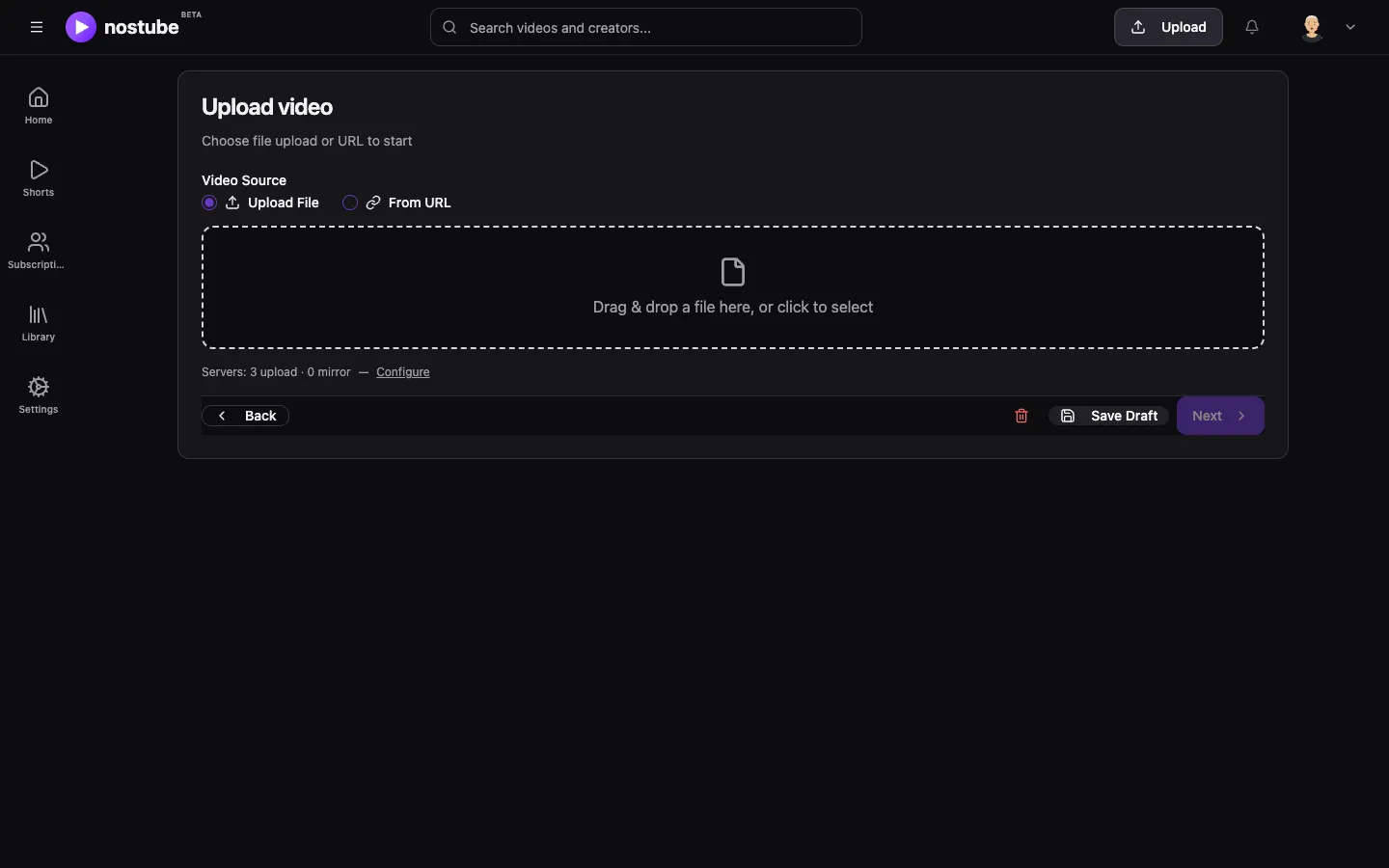
The flow
- Sign in and choose the source. The upload page (
/upload) needs a signed-in user. Choose Upload File or From URL. A file upload needs at least one hosting server tagged Primary (see Blossom storage). If none is set, the page offers to set them up first. - Optimise for Nostr (optional). The browser analyses the file and suggests a conversion (see below). You can also upload the file unchanged.
- Upload to Blossom. Every resulting file is uploaded to all Primary servers, then mirrored to all Backup servers.
- Details. Add a title, description, tags, language, thumbnail, subtitles and an optional content warning while the upload runs. The draft is saved in the browser, so a reload does not lose it.
- Review and publish. The web app builds a video event (kind
34235, or34236for portrait video). It signs the event with your signer and sends it to your write relays. The event format is described in NIP-71 video events.
With From URL, nothing is uploaded: the event points to the given URL. If the URL is a Blossom URL, the web app mirrors that blob to your Backup servers.
Blossom upload
For each file, the web app:
- computes its SHA-256 in the browser, reading it in 20 MB pieces so large files never sit in memory at once;
- sends
HEAD /<sha256>to each Primary server and skips servers that already have the blob; - signs one upload authorization (kind
24242,t=upload, the hash inx, the server's domain inserver, valid for one hour) per server; - uploads with
PUT /upload. Files above 100 MB are first tried as a chunkedPATCH /uploadwith 10 MB chunks, two at a time, the last chunk sent last. If the server does not support chunked uploads or the attempt fails, the file is sent withPUT; - mirrors each uploaded blob to every Backup server with
PUT /mirror({"url": "<uploaded blob URL>"}), again skipping servers that already have the hash.
The upload succeeds if at least one Primary server accepts the file. Its URL becomes the event's url. The other uploads and the mirrors become fallback URLs.
Browser transcoding
Nostube converts videos in the browser with Mediabunny and the WebCodecs API, in a Web Worker. Only the converted output is uploaded, so the original file never leaves your device unless you choose to upload it too. Browser transcoding is the main encoding path; the reasons are recorded in ADR 0002. The code lives in packages/core/src/video-transcode.ts.
When the app suggests a conversion
| Source | Suggestion |
|---|---|
Not MP4 (video/mp4, video/x-m4v), or a video codec other than H.264 (avc1, avc3) or HEVC (hvc1, hev1) | Full conversion |
| Short side above 1080 pixels | Full conversion |
| Bitrate above 8 Mbps | Re-encode to reduce the size |
| Anything else | Already fine |
The short side is the height of a landscape video and the width of a portrait one, so a 1080×1920 short counts as 1080p.
Settings
| Setting | Options |
|---|---|
| Output | MP4 (default): one file per resolution. HLS (experimental): one adaptive stream with all selected resolutions. Upload only: the original file, unchanged. |
| Resolutions | 240p, 360p, 480p, 720p, 1080p, 1440p and 2160p, but only those at or below the source's short side; videos are never upscaled. For files under 50 MB, the highest available resolution is preselected; otherwise 720p and 480p. |
| Codec | HEVC for every selected resolution except the lowest, which uses H.264, so older devices always have a playable variant. If the browser cannot encode HEVC, all variants use H.264. |
| Quality | Compact, Balanced (default) or High motion: 4.5, 6.75 or 9 Mbps at 1080p and 30 fps, scaled by pixel count for other resolutions. A high-bitrate source can raise the bitrate by up to 1.35× (Balanced) or 1.5× (High motion). |
| Keep original | For MP4 output, also uploads the source file as one more variant. |
Audio is re-encoded at 96 kbps. MP4 output has a keyframe every 2 seconds. HLS output uses fMP4 (CMAF) segments with a 4-second target duration. For an MP4 source with H.264 or HEVC, HLS can include the original resolution as an untouched variant. The encoder prefers hardware acceleration and falls back to software. A conversion fails if the browser cannot keep the audio track, so a video is never silently published without sound.
With HLS, every segment, init segment and playlist is uploaded as its own blob. Before upload, the playlists are rewritten to refer to the other blobs by hash. The master playlist is uploaded last, and its URL goes into the event with the type application/vnd.apple.mpegurl. Since all references are hashes, any server that has the blobs can serve the stream.
Limits
- Browser transcoding needs WebCodecs (
VideoEncoderandVideoDecoder). Without them, the page offers only to upload the original file. - Conversion speed and the largest file you can convert depend on the device. MP4 output is assembled in memory.
Uploads in the Nostube Server Studio
The Studio of a Nostube Server uses the same transcoding code with a fixed policy. MP4 and WebM files that the browser can play are published as they are. Any other file (MOV, MKV, AVI and so on) is converted to one H.264 MP4 at up to 1080p, as long as the result stays under 4 GiB. Studio uploads go only to the instance's own Blossom: files up to 8 MiB in one PUT, larger files in resumable 8 MiB PATCH chunks.
Optional: transcoding with a DVM
In the web app (not in a Nostube Server), a video above 1080p or with a codec that may not play everywhere (hev1, AV1, VP9) can also be converted by a hosted transform DVM, a Nostr Data Vending Machine (NIP-90, request kind 5207). The web app lists the DVMs that announced themselves on your relays within the last 30 minutes. It sends the job and waits for the result, then mirrors the DVM's output to your Primary and Backup servers. This path is optional, and running your own DVM is not covered here. The protocol is described in Transform DVM API.