
Studio
Studio is the admin interface of an instance at /studio/. Its sidebar lists every page in one grouped list — nothing hides behind a second menu level:
| Group | Pages |
|---|---|
| Start | Getting started (only while open) |
| Content | Upload, Videos, Moderation |
| Website | Appearance, Pages |
| Server | General, Statistics, Advanced, Account |
Getting started is a checklist (upload a first video, add a logo, fill in the About, Imprint and Privacy pages, set a Lightning address, view the site). It is listed with its progress until every step is done or you dismiss it; dismissing is remembered in the browser.
On small screens the sidebar collapses into a menu behind the top bar. Settings pages edit a draft that is saved with Save and apply. Some saves restart the instance for a few seconds; Studio waits up to 90 seconds for it to come back and says so if it does not. Which settings restart is listed under What Studio edits.
Studio's language selector (English, German, French, Spanish, Russian, Chinese, Japanese) is remembered in the browser, not in the instance configuration.
Logging in
The admin is the instance operator. Admin rights come only from the admin credential, never from being a displayed creator or an allowed writer (ADR 0002).
- Password: set during setup; always works.
- Nostr key: optional. Bind a key under Server → Account → Login with a Nostr key (browser extension, private key, bunker or Nostr Connect), then use Log in with Nostr. Unbinding removes it.
A session lasts 7 days. The server-rendered page /admin/login remains as a fallback when the Studio bundle cannot load. For a forgotten password, see Reset the admin password.
Login protection
After three wrong passwords in a row, each further one doubles the wait before the next try (2 s, 4 s, … up to 15 minutes); during the wait even the right password is refused. An hour without a wrong try, a successful login or a restart clears the count. The count is per instance, not per visitor, because the server reads no forwarded headers: someone who keeps guessing also makes you wait. Logging in with a bound Nostr key is not throttled. Put a rate limit in the proxy too if the admin address is public.
Identity
Every video is signed with a Nostr key. The onboarding wizard asks whose key that is; Server → Account → Identity shows the current choice.
| Own identity | Channel identity | |
|---|---|---|
| Signing key | Your own Nostr key, signed in the browser | The managed key, generated and kept encrypted by the server |
| Login | The key becomes a bound login key; the password keeps working | Password; a Nostr login key is optional |
| Channel profile | Your existing profile, copied unchanged to the instance relay | Derived from the site settings (title, tagline, logo, banner, Lightning address and public website) |
| Mirroring media to Blossom servers | No | Yes |
| nsite hosting | No | Yes (public reach) |
In Public reach, the managed profile's website links to the public instance origin with instance hosting, or to the nsite URL with nsite hosting (custom domain first, otherwise the channel's https://<npub>.<gateway> address). Saving hosting changes updates the link automatically. Private reach and LAN-only instance hosting advertise no website; own-identity profiles stay unchanged.
The managed key grants no admin rights and writes only where the config allows it. Whoever takes over the server gets the key too. Export it as nsec under Server → Account → Export nsec; this asks for the admin password, and wrong passwords count towards the login throttle. Switching keys is not supported (ADR 0007).
General
Server → General holds the settings every owner meets.
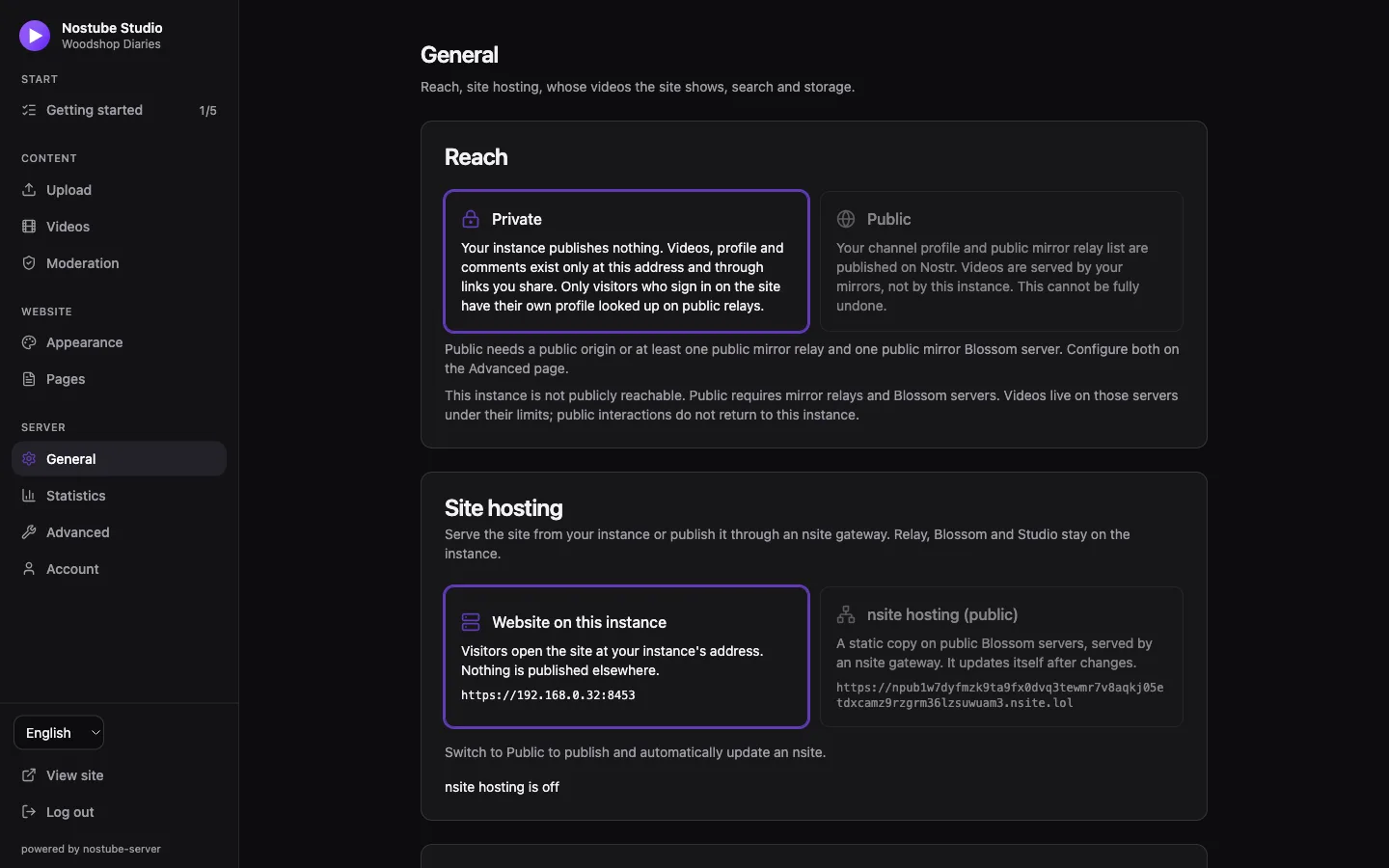
Reach
Reach decides what the instance announces on the Nostr network and where the site reads from (ADR 0012).
| Private (default) | Public | |
|---|---|---|
| Publishes | Nothing, except copies to the mirror targets you enter | With the channel identity: the channel profile (kind 0), relay list (10002) and Blossom server list (10063) to the profile relays, through the outbox |
| Site reads videos, creator data, comments | Only the instance relay, whatever relay lists are stored | The configured video sources and interaction relays, plus mirrors |
| Other Nostr apps | Find nothing unless you share links | Find the channel and its videos; comments and zaps arrive at the instance |
Public requires either a publicly reachable origin or at least one public mirror relay and one public mirror Blossom server (configured under Server → Advanced). A LAN, local-ca, .local or IP origin can therefore go public through mirrors, but never appears in public event URLs or relay lists. Removing the last required mirror while public is refused. NIP-05 stays on the instance; a LAN-only profile does not advertise an unreachable NIP-05 name.
Switching to Public asks for confirmation. Returning to Private stops announcements but cannot revoke copies already on other servers.
With a LAN-only origin in public reach, uploads wait for confirmed public mirror copies of the video, thumbnail and subtitles before publishing their URLs, and the channel's logo and banner use the mirror URLs as well. Mirror limits, quotas and availability are the owner's concern.
Displayed creators
Displayed creators are the keys whose videos the site shows: one entry gives a personal page, several give a curated page. The first entry is the start page. Keys can be entered as npub, hex or NIP-05 address (name@domain). Displaying a creator grants no write access, and removing one deletes no media.
Search
Off: no search. Local: a search box that finds the shown videos by title, description and tags, searched in the visitor's browser.
Storage
Where uploads are stored, the storage quota and the free-space reserve. See Storage and S3.
nsite hosting
Site hosting chooses between Website on this instance (default) and nsite hosting (public): a static copy of the site on public Blossom servers, served by an nsite gateway (ADR 0013). nsite needs the channel identity and Public reach; own identity and Private reach do not offer it.
- Configure any required mirrors under Server → Advanced and save.
- Select Public reach.
- Select nsite hosting, a gateway (initially
nsite.lol) and optionally a custom domain, then Save and apply. - Press Publish nsite. Publication uses saved settings only.
The nsite URL is https://<channel npub>.<gateway>. For a custom domain, point its CNAME at <channel npub>.<gateway> and check that the gateway supports TLS for your domain. The custom domain becomes the origin baked into sharing and embed links.
The instance stores the site, branding and embed player in its Blossom, mirrors them where configured, and publishes a signed kind 15128 manifest only after the files are publicly available. Studio shows the last published version (aggregate hash), publication time and delivery state; failures use the mirror status retry. Config and branding changes and new server builds republish changed files automatically; unchanged content publishes nothing. Gateways cache manifests, so changes can take up to an hour to appear. Superseded files are cleaned up after delivery, except files still used by the current site or another event.
While nsite hosting is on, the instance's site routes redirect (302) to the nsite URL, keeping path and query. Relay, Blossom, Studio, admin and APIs, NIP-05, branding, feeds and /embed.html stay on the instance.
Turning nsite off, or switching to Private, asks what to do: Cancel leaves settings unchanged, Keep copies stops the redirect but leaves the public site, Delete now queues a manifest deletion and deletion of unused site files, with retries. Deletion is best effort; gateways, relays and Blossom servers may keep copies. Shared media and profile images are kept.
Limits: the nsite has generic link previews, no per-video prerendered pages, sitemaps or feeds. With a LAN-only origin, visitor interactions stay on public relays: Studio does not see them and local moderation has no effect there. Importing them is planned separately (ADR 0014) and not implemented.
Advanced
Server → Advanced holds the lists most owners leave alone.
Allowed writers: keys that may publish to the instance relay and upload to its Blossom storage; one set for both. Everyone else can read but not write, except that the relay accepts visitor interactions with the allowed writers' locally stored videos (comments, replies, reactions, deletion of one's own interactions) and reports (ADR 0006). Removing a writer deletes none of their events. Changing this list restarts the instance.
Relays: Video sources (where the site's video catalog is queried) and Interaction relays (profiles, comments, zaps). In Private reach both are disabled: the site uses only the instance relay, and the lists keep their values for Public.
Profile relays: where a signed-in visitor's profile is looked up, in addition to the interaction relays, the public defaults wss://purplepag.es, wss://nos.lol and wss://relay.damus.io and the visitor's NIP-65 relays. With the channel identity and Public reach the channel's profile and relay list are published here too. Details: What the instance contacts.
Remote signer relays
Additional signer relays (signer_relays in config.toml) are the rendezvous for Nostr Connect (NIP-46). The QR code/deep link includes these plus the instance's interaction relays, with the additional relays first. Defaults are wss://nos.lol and wss://relay.damus.io; edit them here even in Private reach. This is independent of profile lookup, video sources, mirrors and Reach.
The browser and the signer app must share at least one reachable relay that accepts NIP-46. A phone outside FIPS can use a public signer relay without resolving the instance's .fips name. That only enables signing: opening the mesh website or its videos on that phone still needs FIPS. The relays carry encrypted signing requests/replies and see connection metadata; configuring them does not copy videos, profiles or comments there.
An explicit empty list removes the additional public relays. The built-in instance relay rejects NIP-46 kind 24133 from the fresh browser/phone client keys under its writer policy: an empty list therefore does not provide mesh-only pairing by itself. Use at least one suitable rendezvous relay. No writer ACL is relaxed for this feature.
The signer sees <instance title> (<canonical host[:port]>), for example My videos (npub1….fips), not the official web app's nostube name. Each fresh pairing already generates its own client key; an established account restores that same key and its pairing relays from this origin's browser storage without a new authorization. Title/relay changes affect new pairings after reload; they do not silently move an existing signer session.
Mirrors
Mirror to other servers copies the instance's own content in the background (ADR 0009):
- Mirror relays (
ws:///wss://): every new event of the allowed writers. - Mirror Blossom servers (
https://, orhttp://on the LAN): uploaded media. This needs the managed key, because the server signs the mirror requests.
Mirrors work in both reaches. Leave both lists empty to keep everything on the instance. Changing them restarts the instance. Mirror status below shows done, waiting and failed jobs per target and the recent problems; the outbox keeps retrying while a target is down, and Retry failed gives failed jobs a fresh set of attempts. See also Mirrors as backups.
Content
Upload
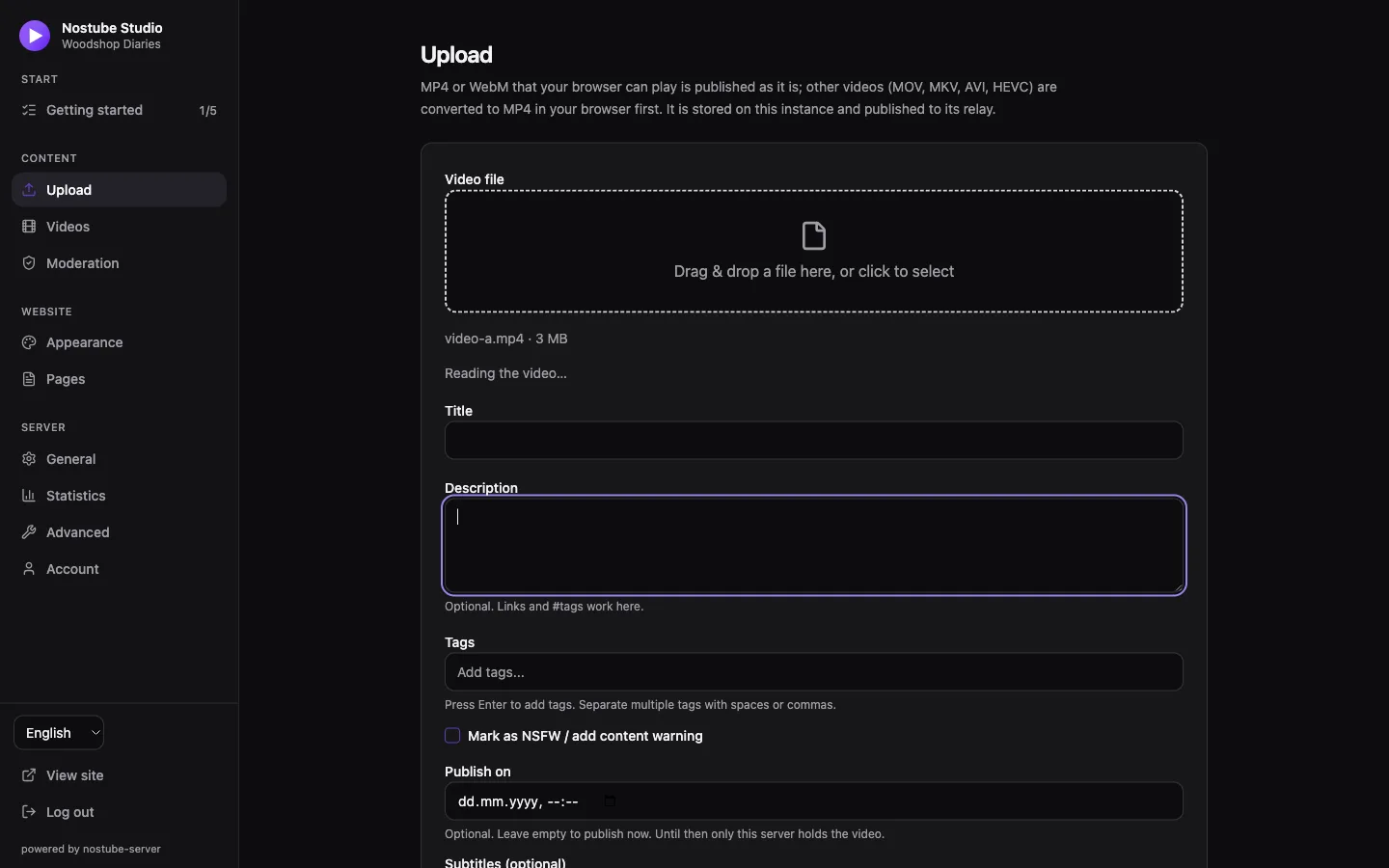
Content → Upload publishes a video to the instance. MP4 or WebM that the browser can play is uploaded as it is; other formats (MOV, MKV, AVI, HEVC) are converted to MP4 in the browser first, which needs WebCodecs (a current Chrome, Edge or Safari). There is no server-side transcoding. See Uploads and transcoding.
The form takes title, description, tags and optional subtitles. The thumbnail is a still taken from the video, or an image you drop in instead. Vertical videos are published as shorts. The file is stored in the instance's Blossom (large files in 8 MiB pieces) and the signed video event is published to the instance relay, and from there to any mirror relays.
Publish on schedules the video: until that date only the instance holds it, it is on no relay and not on the site. Scheduled videos are listed on the Videos page, where they can be edited or cancelled.
Videos
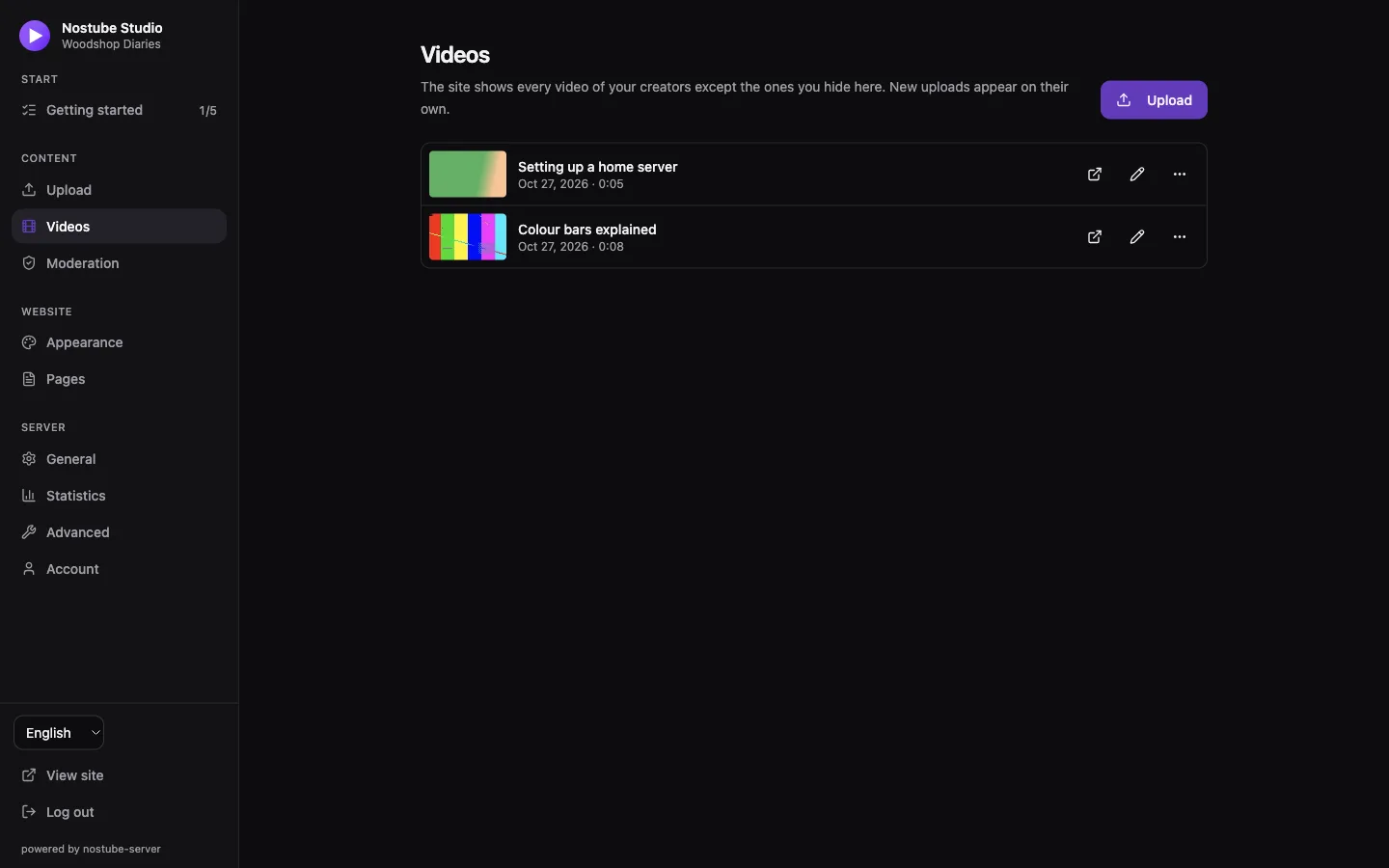
Content → Videos lists the displayed creators' videos. The site shows all of them except the ones hidden here. Per video:
- Hide on site / Show on site: applies at once, without a restart.
- Edit metadata and Replace video file: the video keeps its address and original publish date.
- Delete video: publishes a Nostr deletion request; the server removes the video and its unused media, including on configured mirrors. Independent copies may remain elsewhere.
Only the video's author can edit or delete it; the admin can always hide it.
Play counting
Play counting is opt-in under Server → General → Play counter. The instance counts how often a video's media file starts loading from its own Blossom, one total per file and day, kept for one year and shown per video on the Videos page. It counts files, never people: no IP address, no user agent, no cookie. Plays served from mirrors, caches or other Blossom servers are not counted. While it is on, the standard privacy text mentions it; insert the text again in each language.
Moderation
Content → Moderation lists the comments on the creators' videos and the reports.
- Mute an author or a single comment to hide it on this site. Muting deletes nothing: the mute list is the creator's public NIP-51 list, saved on the instance's interaction relays, and other Nostr apps may apply it too. Private (encrypted) entries in that list are kept but not shown.
- Reports: signed-in visitors can report a video, a comment or an account. A report is a signed NIP-56 event on the relay, public and never anonymous (ADR 0011). Reports are resolved against what the relay already stores. A report on a comment or an account offers the mute actions; a report on a video points to the Videos page (it disappears once the video is deleted, not when it is hidden); a report on the creator's own account or reply offers nothing to mute.
Website
Appearance
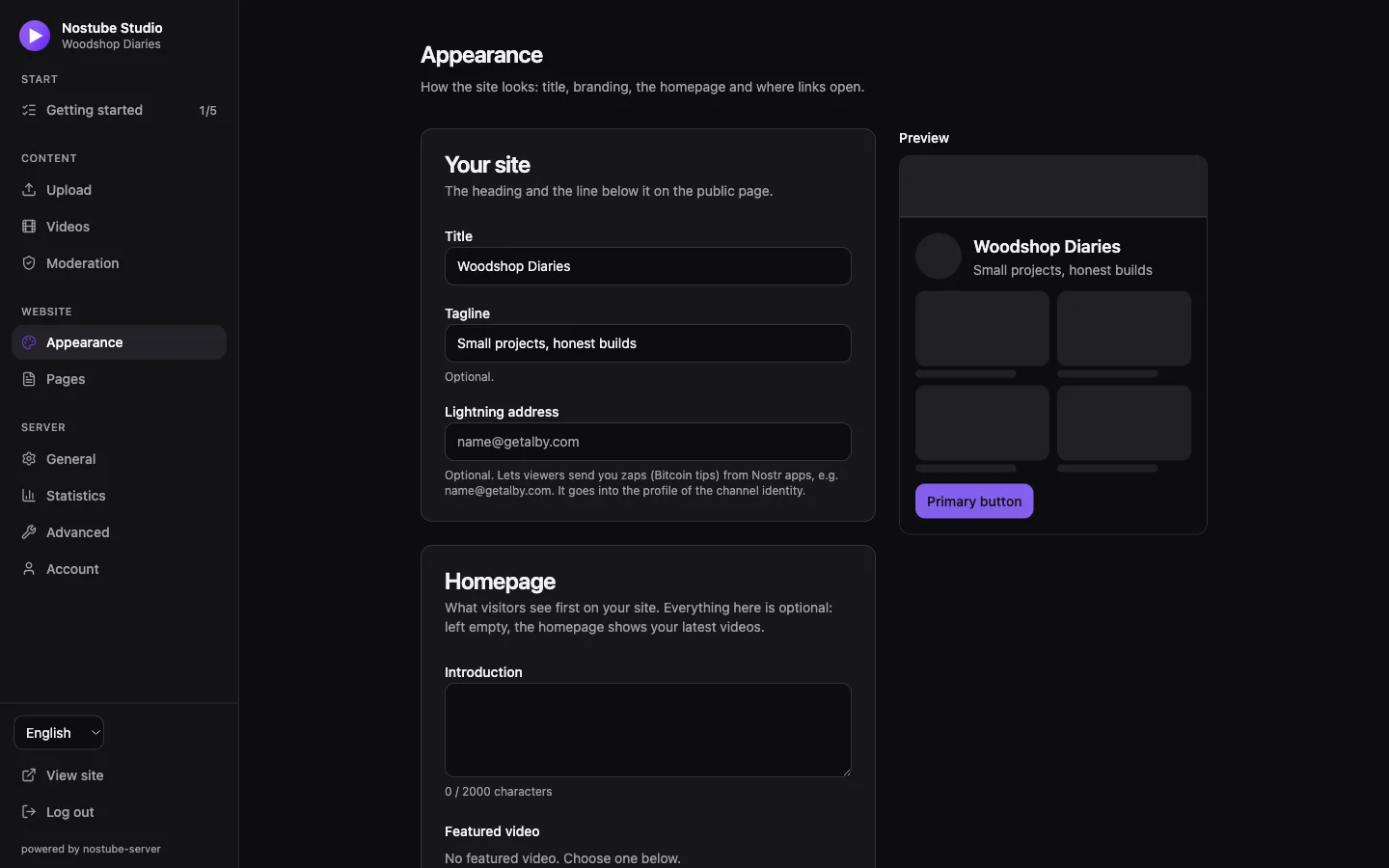
Website → Appearance sets the site title, tagline and Lightning address (zaps to the channel identity), the homepage (introduction, a featured video, up to 12 selected videos, up to 5 links and one main button), accent colour and font, and where links to other Nostr content open (nostu.be, njump.me or custom https:// templates with {nip19}). Visitors get light or dark mode from their system.
Logo, favicon, banner and app icon apply at once, without saving. Logo and favicon take up to 512 KiB, banner and app icon up to 2 MiB; the app icon must be a square PNG of at least 512×512 pixels.
Pages
Website → Pages holds the optional About, Imprint and Privacy policy pages, linked in the site footer. Write each in any languages: visitors see their own language, otherwise English, otherwise the first one written. A page without text is not shown. Insert the standard text fills in a privacy policy describing what the site and server do with visitors' data; it follows the current reach, profile relays and play counter, so insert it again after changing them. It is not legal advice.
Statistics
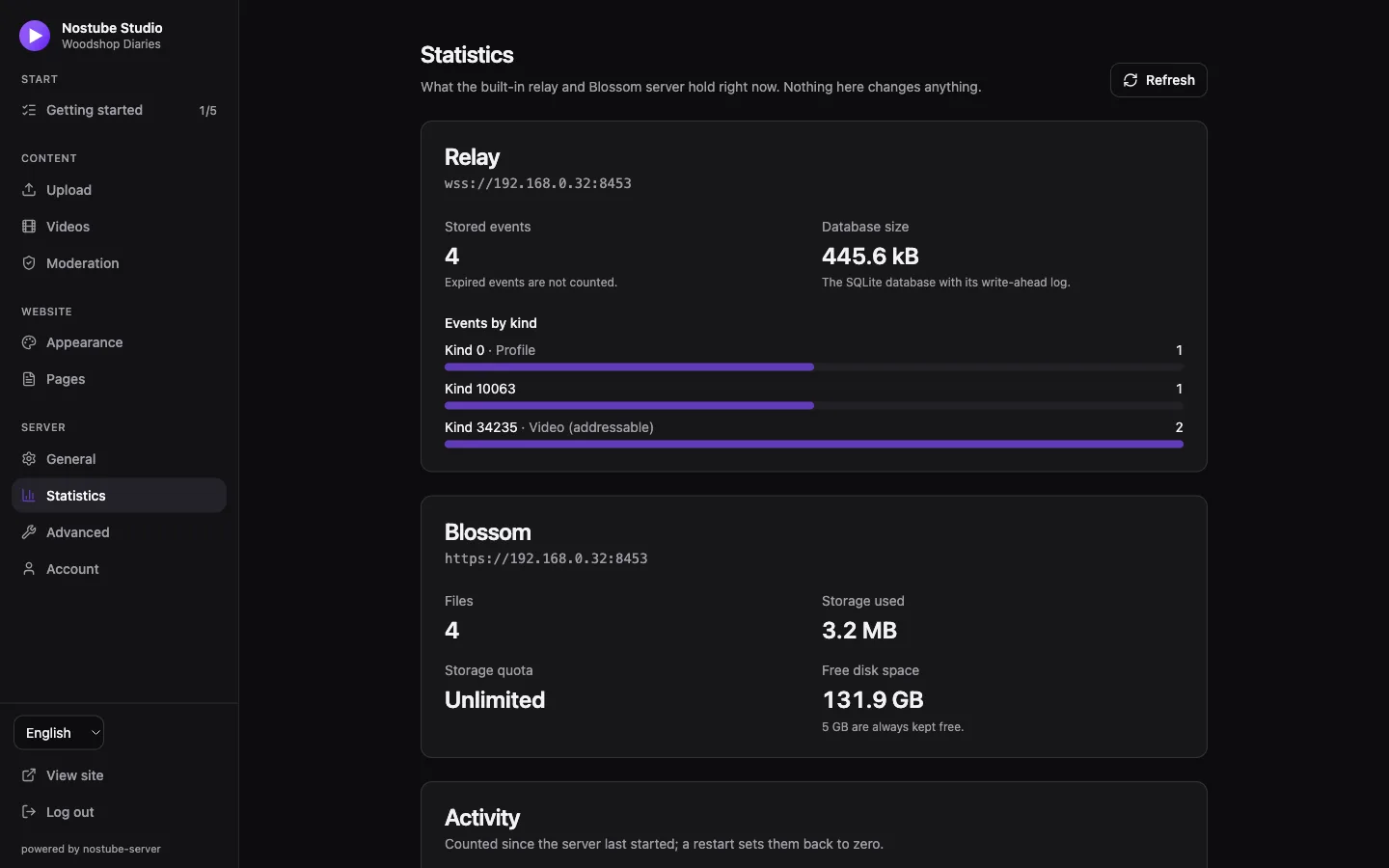
Server → Statistics shows the relay's event count (expired events excluded) and its distribution by kind, the SQLite database size including the write-ahead log, Blossom's file count and used storage, the storage quota and free disk space. Upload and download counts and bytes served count since the last start. The quota bar is hidden when storage is unlimited.
The numbers come from GET /api/admin/stats, which needs the admin session. There are no public Prometheus metrics, and the relay does not support NIP-45 COUNT.
What visitors can do
Signed-in visitors (any Nostr login method) can comment, like videos, report videos, comments and accounts, and send Lightning zaps through the creator's LNURL-pay provider, by QR code, external wallet or an injected WebLN wallet. Zap totals include only validated provider receipts. Likes need an interaction relay that accepts them. Shared links can include the play position, and timestamps in a description become player chapters.