
Getting started
Nostube Server runs a self-hosted video site for one creator, or a curated set of creators, as a single program. Each installation is called an instance. An instance serves everything from one origin:
| Part | Where | What it is |
|---|---|---|
| Creator site | / | The homepage with the displayed creators' videos, video pages, sitemap.xml, feed.xml, atom.xml, robots.txt |
| Studio | /studio/ | The admin interface: uploads, videos, moderation, site and server settings |
| Relay | ws(s)://<origin>/ | A Nostr relay that stores the creators' video events and visitor interactions |
| Blossom | /upload, /<sha256> | Media storage, built on the Almond library |
| Embed player | /embed.html | The iframe player for other websites |
| NIP-05 | /.well-known/nostr.json | Nostr addresses for the instance's identity |
The relay and Blossom storage are built in, so an instance with local storage also works on a LAN without internet access. The Self-hosting options page compares it with the other ways to self-host Nostube.
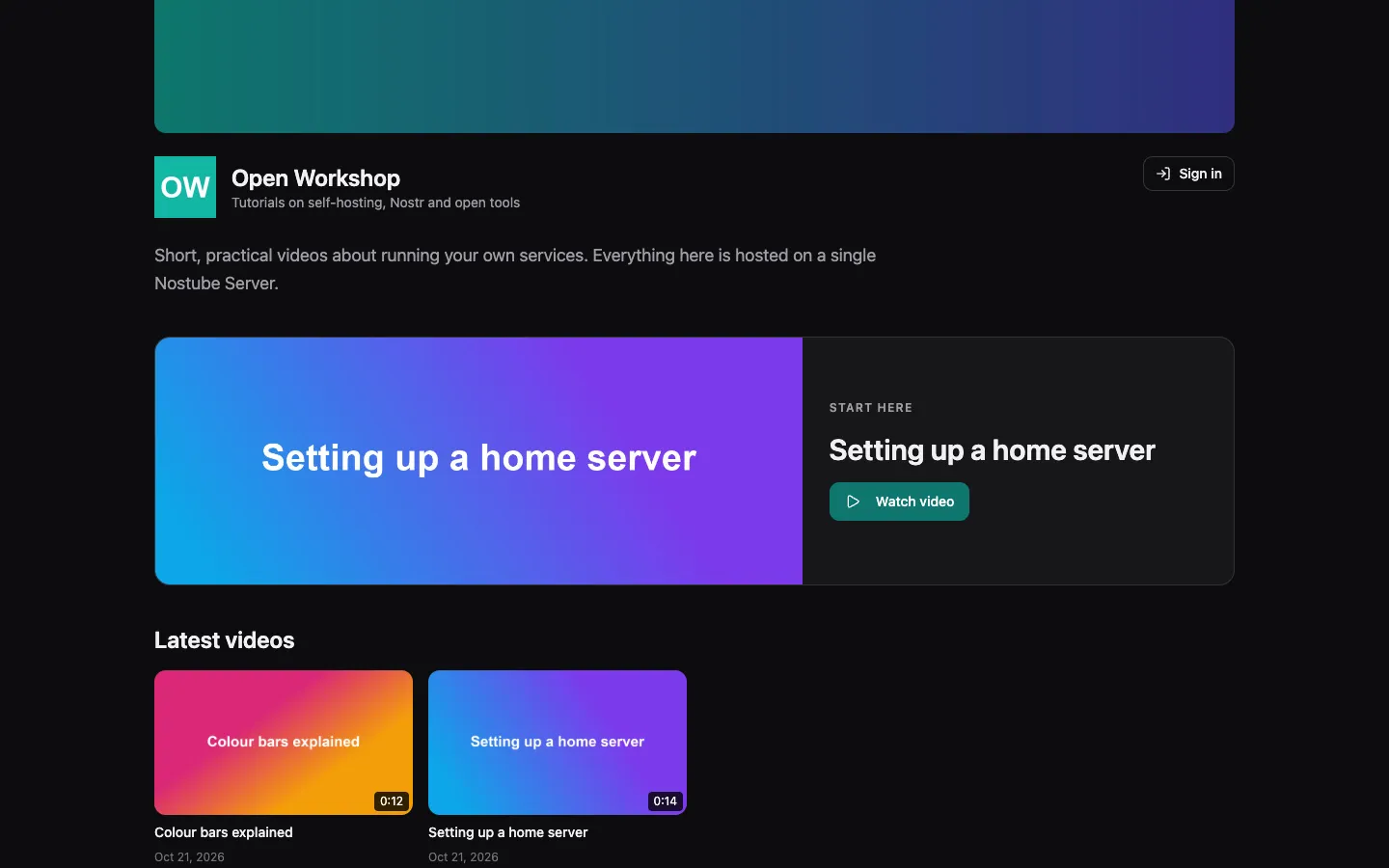
The site and Studio come in English, German, French, Spanish, Russian, Chinese and Japanese. The public site uses the first supported browser language and falls back to English; it has no language selector. Studio has its own language selector, remembered per browser. Creator titles, descriptions and other published content are not translated.
Quick start with Docker Compose and Caddy
The image ghcr.io/flox1an/nostube-server serves plain HTTP on port 8080. A reverse proxy in front of it provides HTTPS. The example Compose file uses Caddy, which gets and renews the certificate by itself.
Requirements: a host with Docker, a DNS name pointing at it, and ports 80 and 443 reachable from the internet.
Save this as docker-compose.yml (the repository has it as apps/server/docker-compose.example.yml):
services:
  nostube:
    image: ghcr.io/flox1an/nostube-server:main
    restart: always # not on-failure: some studio saves end the process on purpose
    stop_grace_period: 40s # running uploads get up to 30 s to finish
    environment:
      NOSTUBE_ORIGIN: ${NOSTUBE_ORIGIN:?set NOSTUBE_ORIGIN, e.g. https://videos.example.org}
    volumes:
      - ./data:/data

  caddy:
    image: caddy:2
    restart: always
    ports:
      - '80:80'
      - '443:443'
      - '443:443/udp'
    command: caddy reverse-proxy --from ${NOSTUBE_ORIGIN} --to nostube:8080
    volumes:
      - caddy_data:/data
    depends_on:
      - nostube

volumes:
  caddy_data:
The instance itself publishes no port: only Caddy can reach it over the Compose network. Start it:
export NOSTUBE_ORIGIN=https://videos.example.org   # the DNS name must point at this host
docker compose up -d
docker compose logs nostube                         # the first start prints the admin setup link
The server needs two things:
| What | How | Why |
|---|---|---|
| A data folder | a volume at /data | Everything the instance keeps lives there, see Data directory |
| The public address | NOSTUBE_ORIGIN=https://videos.example.org on the first start | It ends up in links, in the public config and in published events. Without it the first start stops with a message saying so |
After the first start the origin is read from /data/config.toml. Changing NOSTUBE_ORIGIN later has no effect: the server logs a warning and keeps the stored origin.
For hosting inside the mesh without a public domain or certificates, use the FIPS-only HTTP setup. A separate sidecar supplies mesh DNS and routing without giving the Nostube process network-administration rights.
First run: admin setup
On its first start the instance writes a default config.toml and logs a one-time setup link with a QR code:
admin setup (one-time secret; do not share): https://videos.example.org/admin/setup#token=…Open the link, choose an admin password (at least 8 characters) and confirm it. The setup token is used up by this step. You are then logged in and sent to Studio at /studio/.
Lost the link before using it? It is printed again on every start while no admin is registered. For a forgotten password, see Reset the admin password.
First Studio visit: onboarding
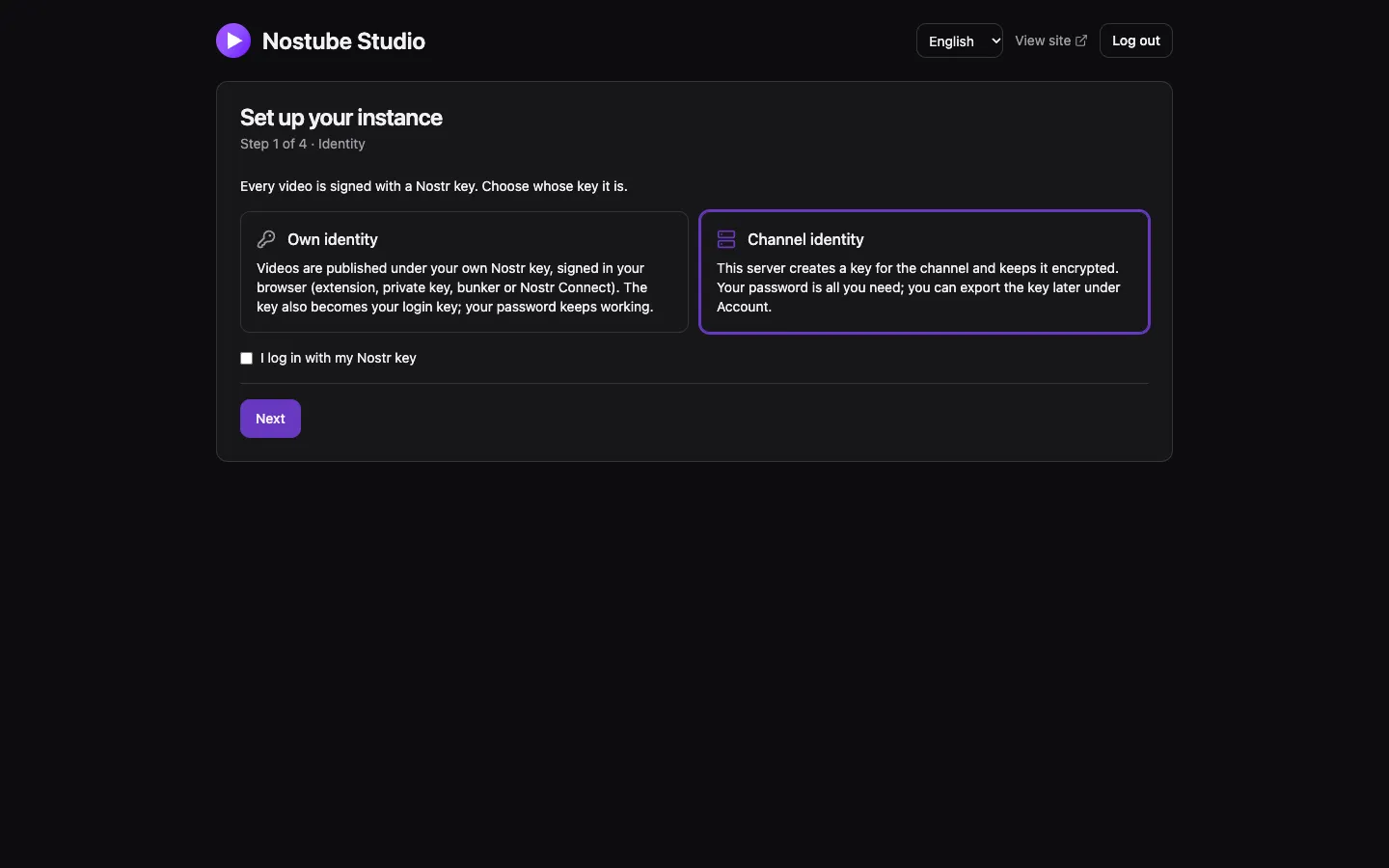
As long as the instance has no displayed creator, Studio shows a setup wizard that cannot be skipped:
- Identity: whose Nostr key signs the videos.
- Own identity: your own Nostr key, signed in the browser (extension, private key, bunker or Nostr Connect). The key becomes the creator, an allowed writer and a login key; your existing profile is copied unchanged to the instance relay.
- Channel identity: the server creates a key for the channel and keeps it encrypted (the managed key). Logging in with a Nostr key is optional. The key can be exported later under Server → Account.
- Publishing: the reach, Private or Public. Without a publicly reachable origin only Private is offered at this point.
- Site: title and tagline.
- Summary: Finish creates the key if needed, saves everything at once and restarts the instance for a few seconds.
Next: upload a video under Content → Upload, add a logo under Website → Appearance, and fill in the About, Imprint and Privacy pages under Website → Pages. The Studio page covers every section.
Coolify
The same image runs as a Coolify "Docker Image" application; Coolify's proxy provides HTTPS.
| Setting | Value | Why |
|---|---|---|
| Image | ghcr.io/flox1an/nostube-server:main | Coolify pulls it on every deploy |
| Port | 8080 | The instance speaks plain HTTP |
| Domain | https://<your name> | Also the value of NOSTUBE_ORIGIN |
| Environment | NOSTUBE_ORIGIN=https://<your name> | Read on the first start only |
| Persistent storage | a volume on /data | Everything the instance keeps. Coolify's own backups do not cover it, so back it up yourself |
| Health check | off | Coolify starts the new container before it stops the old one. The server locks its data folder, so the new process waits until the old one has exited. With the health check on, Coolify waits for the new container to become healthy before stopping the old one, and the two wait for each other until the deploy times out. Expect a few seconds of 503 per deploy |
| Resource limits | for example 2g memory and the same swap value | |
| Custom Docker options | --cap-drop=ALL --cap-add=CHOWN --cap-add=SETUID --cap-add=SETGID | The entrypoint needs these three only to take over the data volume; the server then runs as uid 10001 without capabilities |
Coolify's default restart policy (unless-stopped) restarts the container after the clean exit that some Studio saves cause. The image build does not deploy anything: redeploy the application in Coolify to pull a new image, then check revision in /api/health.
Without Docker
Build the web assets and the binary, then run it behind a reverse proxy:
scripts/build-server-web.sh
cargo build --release --manifest-path apps/server/Cargo.toml
./apps/server/target/release/nostube-server --tls proxy --origin https://videos.example.org --data /var/lib/nostube
scripts/build-server-web.sh builds the site, Studio and embed player into apps/server/web/dist, which the binary embeds at compile time; run it before cargo build. In proxy mode the binary listens on 127.0.0.1:8080 unless you pass --bind. Run it under a supervisor that restarts it after a clean exit, for example systemd with Restart=always (see Restarts).
On a Mac in a home network, the instance can also provide HTTPS itself with its own certificate authority: see HTTPS and networks.